ai quiz generator
It was early 2026 and AI content generation tools were all the rage in software. Zipline needed to test the waters with a small but powerful feature - Learning Quizzes.
My team set out to design, test, and release the first AI-powered writing tool within the platform with the goal of speeding up a time consuming step of the publishing process within the Learning area - creating quizzes.
But how could we make our in-product feature a success while competing with the likes of Open AI?
THE OPPORTUNITY
save learning publishers time
As with most generative AI endeavours, the goal here was to save our users time - specifically publishers of our Learning product area.
Being fully transparent, our leadership team was desperately wanting to get an AI content generation feature into the product to remain competitive, and it was decided that we’d start with the Learning area for one main reason: an engineer fired up a POC AI-survey-generator from learning lessons for a previous hackathon, and everyone was very, very excited.
So my job as design lead was to make sure that this fun new feature would solve a key pain point or unlock a new opportunity, and that it would be awesome.
Not just AI for AI’s sake.
MY ROLE
I worked as the lead designer on this project, collaborating with a Product Manager, Engineers and UX Researcher.
I led the design for this project from Feb 2026 - May 2026 and handed it off during the build phase to the designer who was hired for this team.
DISCOVERY
what makes a good quiz?
I started by conducting user interviews with 7 customers to understand what their current process looked like when designing and publishing a new learning course, and how writing a quiz fit into that process.
I needed to understand if there was a commonality in how quizzes are utilized within courses and if their standards and formats for quizzes and questions were similar, or if we needed to pivot.
The majority (5 / 7) of the learning content creators we interviewed estimated that it would only take them 15–30 minutes to craft a quiz once they had finished the course content.
This revealed that our tool needed to be super lightweight to save them time in an otherwise fairly quick process.
Interviewees also noted they keep quizzes short and sweet, designing them to confirm understanding and reinforce key points from the lessons - not to trick learners.
The final, but maybe most important, insight was that learning creators are often given Key Learning Objectives their courses should fulfill - and these should form the basis of the quiz questions.
“It just has to be super simple with minimal inputs from me. I want a magic button.”
Input needs to be quick, output needs to be simple.
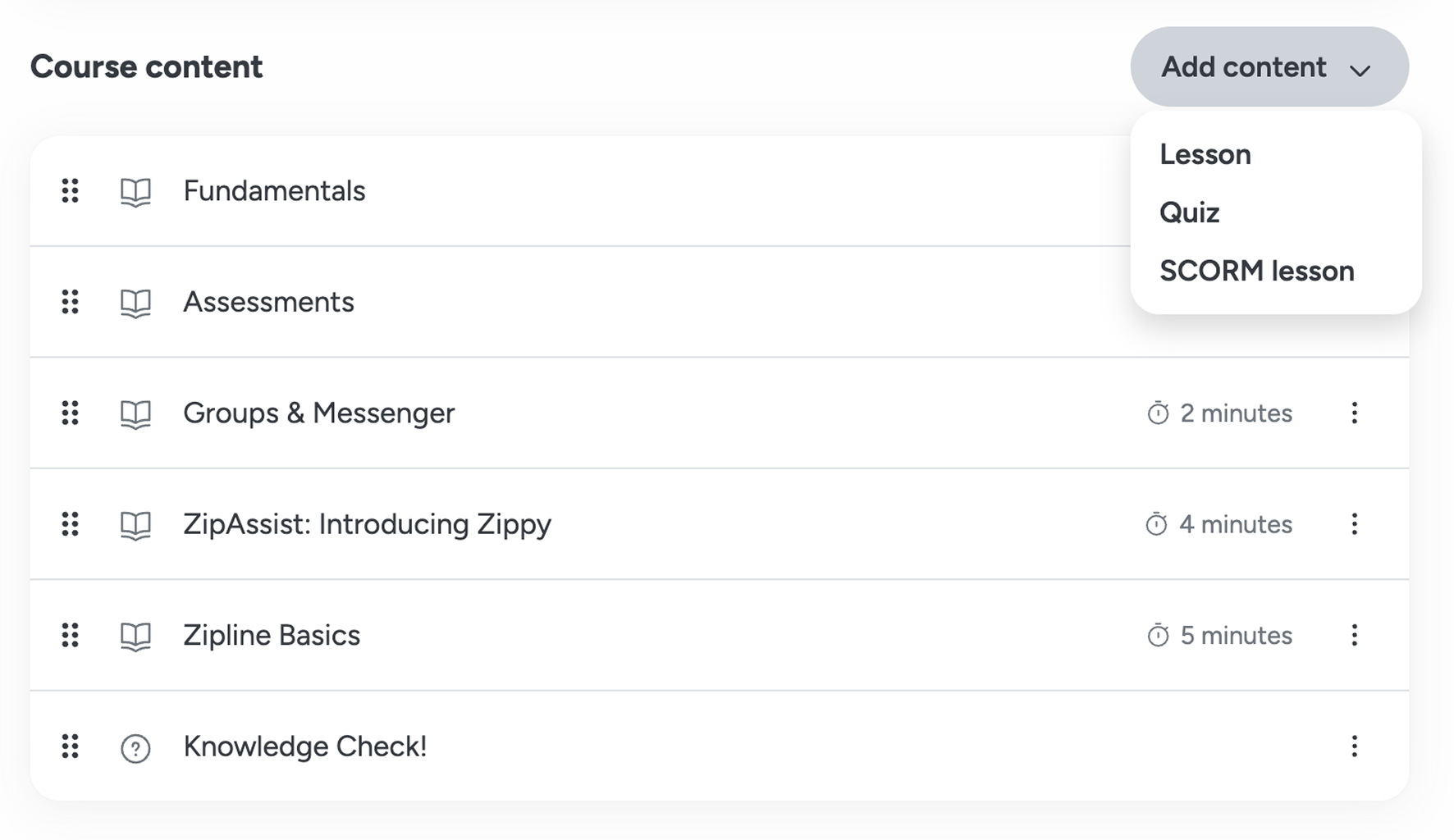
Learning course content editor - publishers can add Lessons and Quizzes.
WIREFRAMES
make it easy to try
The initial project brief was to build an AI Quiz Generator that would generate the whole quiz for the user.
However the research suggested that users want the flexibility to sift through the generated questions, pick the ones they like, toss the ones they don’t and make final tweaks.
So I decided to explore a second option: an AI Question Generator.
During internal reviews with SMEs and the Product team, it was determined that the AI Question Generator made the tool more appealing to try because it felt lower risk as you can just delete questions and start over manually. Exactly what I was hoping.
Option 1: AI Quiz Generator
Course Title
Lesson 1
Lesson 2
Add content
Lesson
SCORM lesson
Quiz
AI Quiz
Give users a new option to generate *AI Quizzes*
Option 2: AI Question Generator
Quiz Title
Questions
Add a question
Generate questions
Give users the option to generate questions using AI inside the quiz editor
AI PRINCIPLES APPLIED
ai as a tool, not as a path
Our customers are, for the most part, very AI cautious. Many of our publishers have started using AI tools to help come up with communications, but ultimately want full control over the output to make sure it sounds like their brand. They see AI as a starting point, but not as a fellow editor capable of producing the final output.
For this reason, I adhered the following AI principles when designing this tool, which we also apply when building other generative AI features at Zipline:
Users should have full control over the output.
Our publishers are perfectionists. They should be given full editing control over any content produced by AI - there is no “good enough” when it comes to content.
Don’t force users down one-way paths.
Integrating AI experiences within workflows will allow users to make smaller, less consequential decisions about AI rather than being forced to pick a creation route from the start.
AI should feel integrated.
AI should feel like a fun new tool in the Publisher’s toolset rather than an entirely new set of tools they need to learn.
Give the user an escape hatch.
If the AI tool doesn’t perform well, users should have an easy way to perform the task manually.
FINAL DESIGNS
a delightful new way to offload mundane work
This feature was the first AI publishing tool to launch in the platform, and I wanted it to set the precedent for how pillar teams should think about integrating AI features into the platform going forward.
Software users don’t want more choices, they just want the tools they need to be exactly where they need them. That’s what my goal was for this feature, and I think we achieved that through the placement and UX decisions made.
In this case, we were able to offload a very mundane part of the Learning Publisher’s workflow that they saw as a “box-tick” in the course creation process, which I hope adds just a little bit of delight to their workday every time they use it.
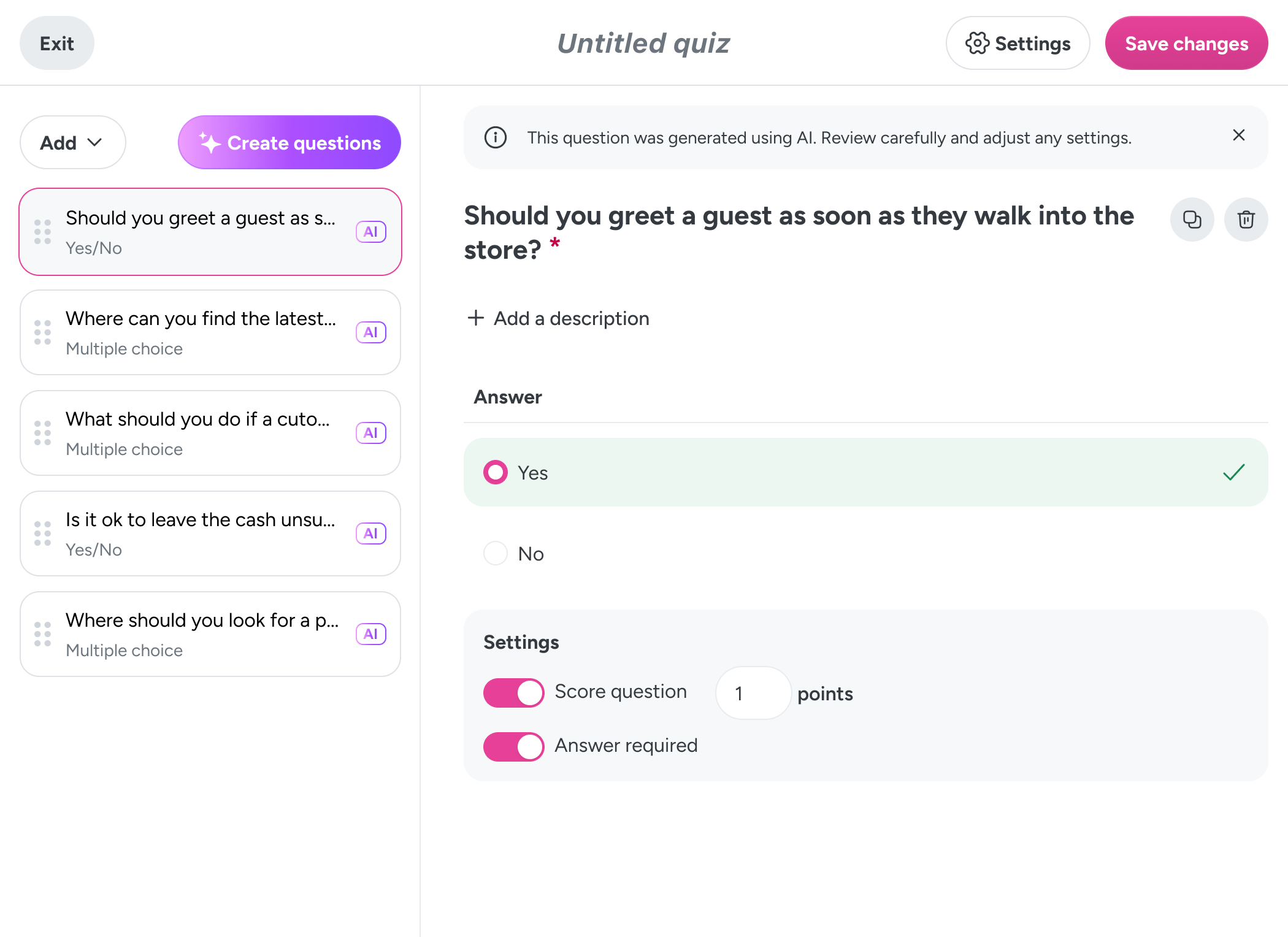
a new tool in the toolbox
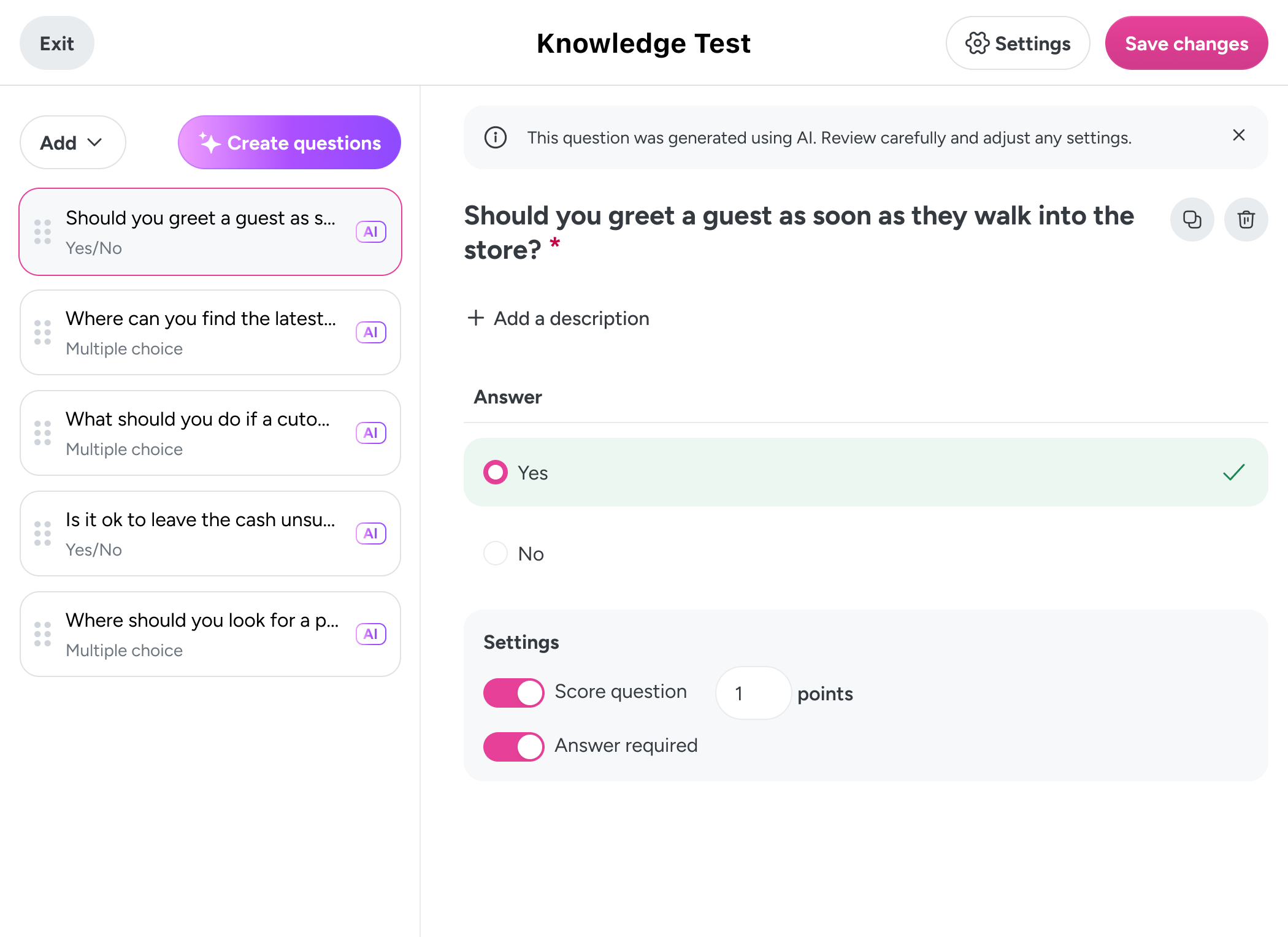
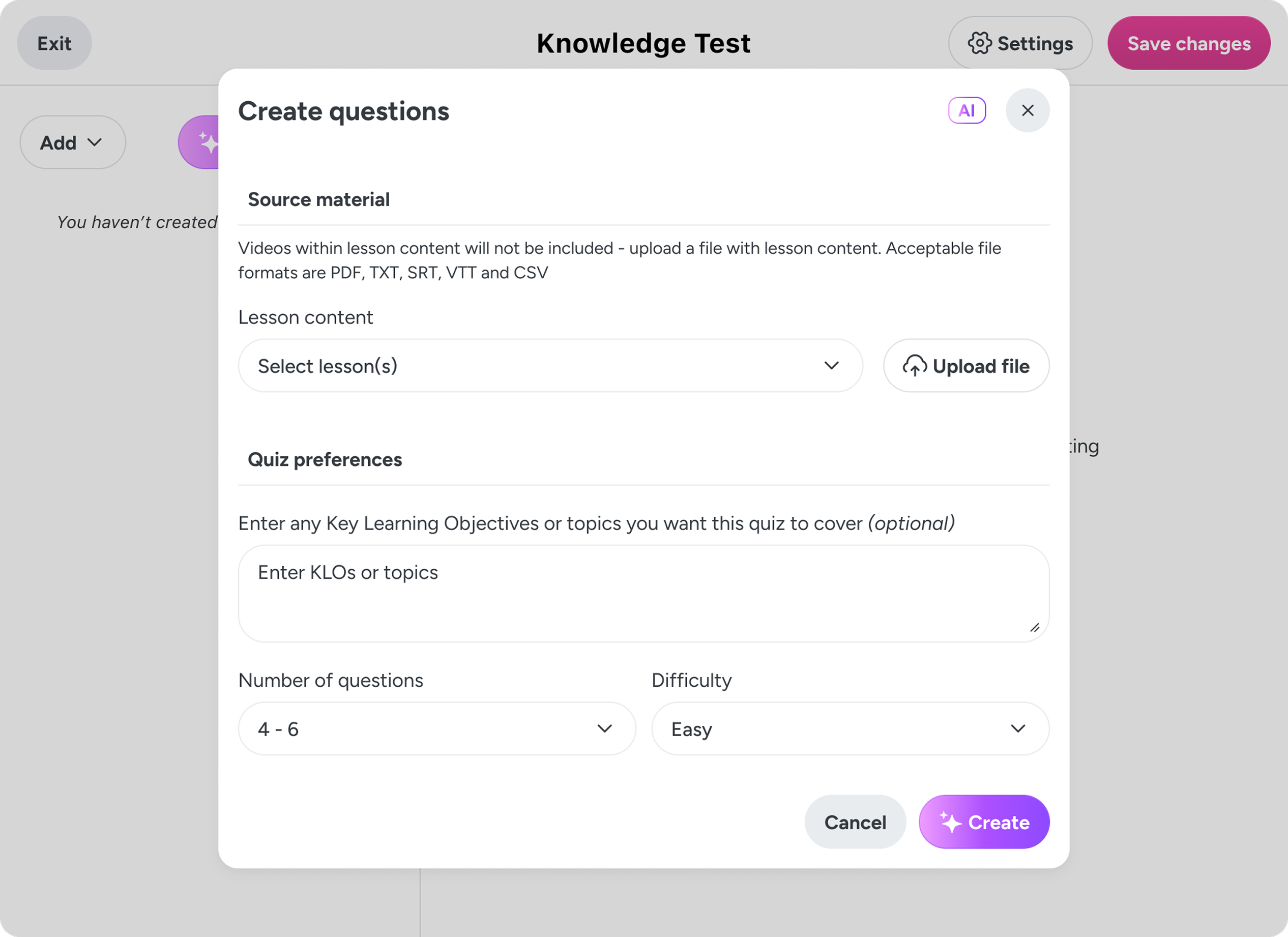
Having the AI question generator in-line with the questions area would give users another option when generating questions, rather than forcing their entire experience to change.
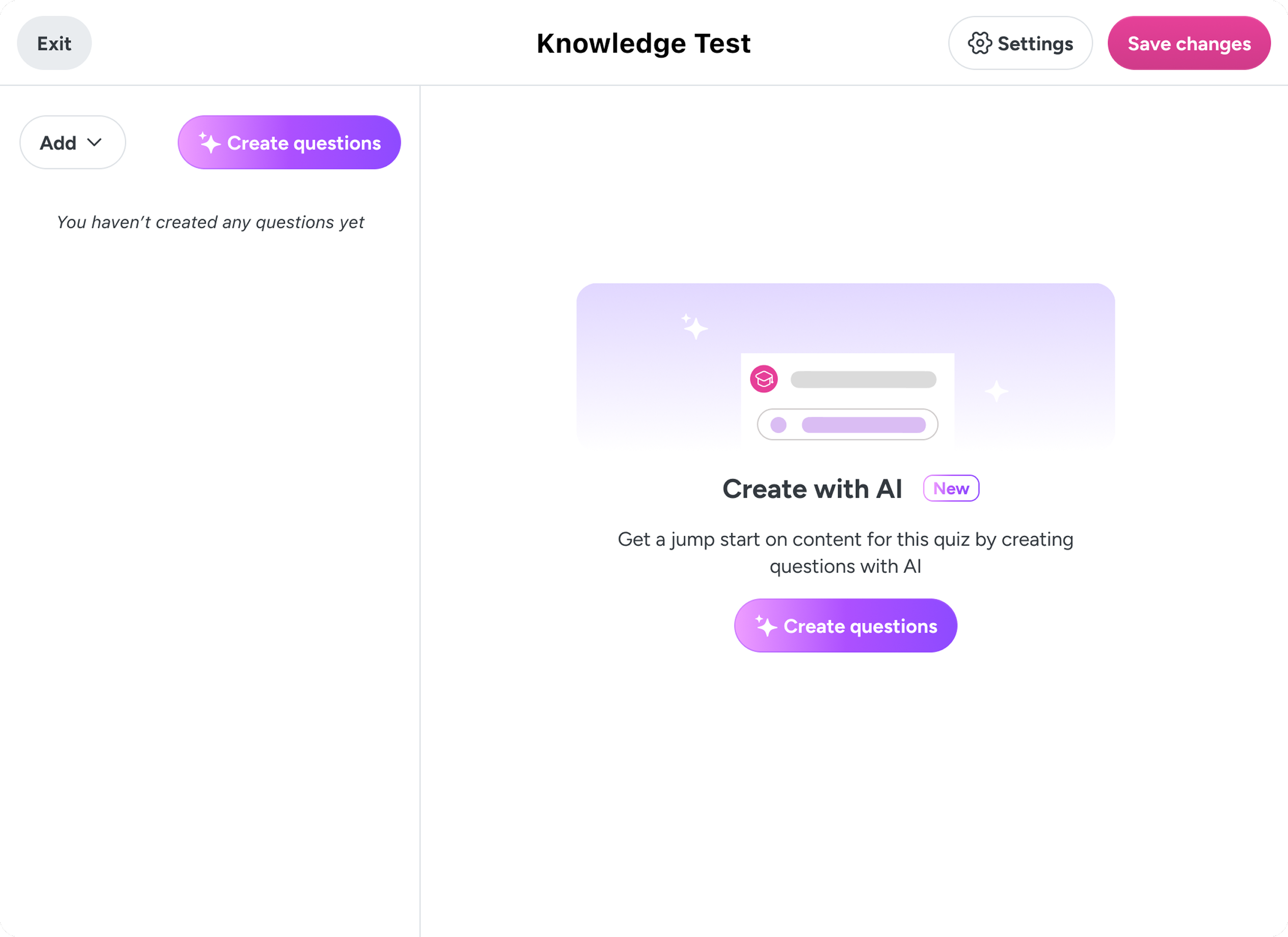
quick, flexible inputs
I limited the modal to a single page with only one incomplete selection - the lessons to pull from - so that users can save precious time as the time saving margins are slimmer here.
make ai use clear
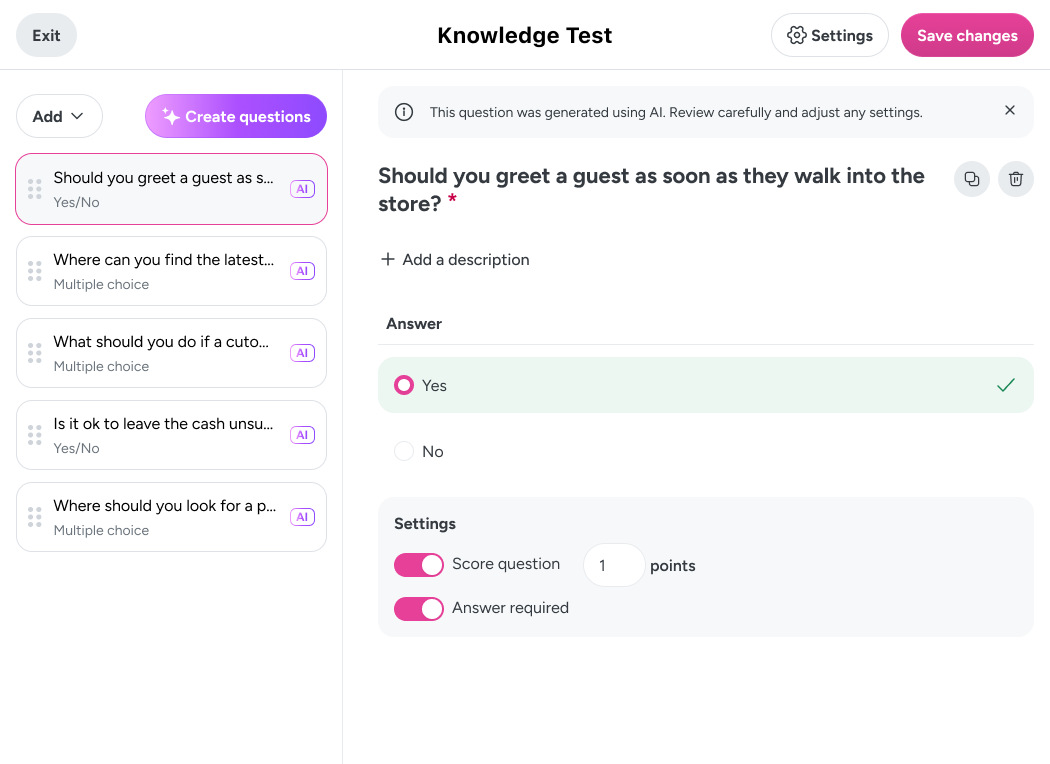
Transparency is key with AI generated content, so the use of AI has been clearly identified for each question and within the question itself. My hope is that these visual indicators can be scaled down in the future, but for now, our customers would prefer to have AI over communicated than under communicated.
affordance for flops
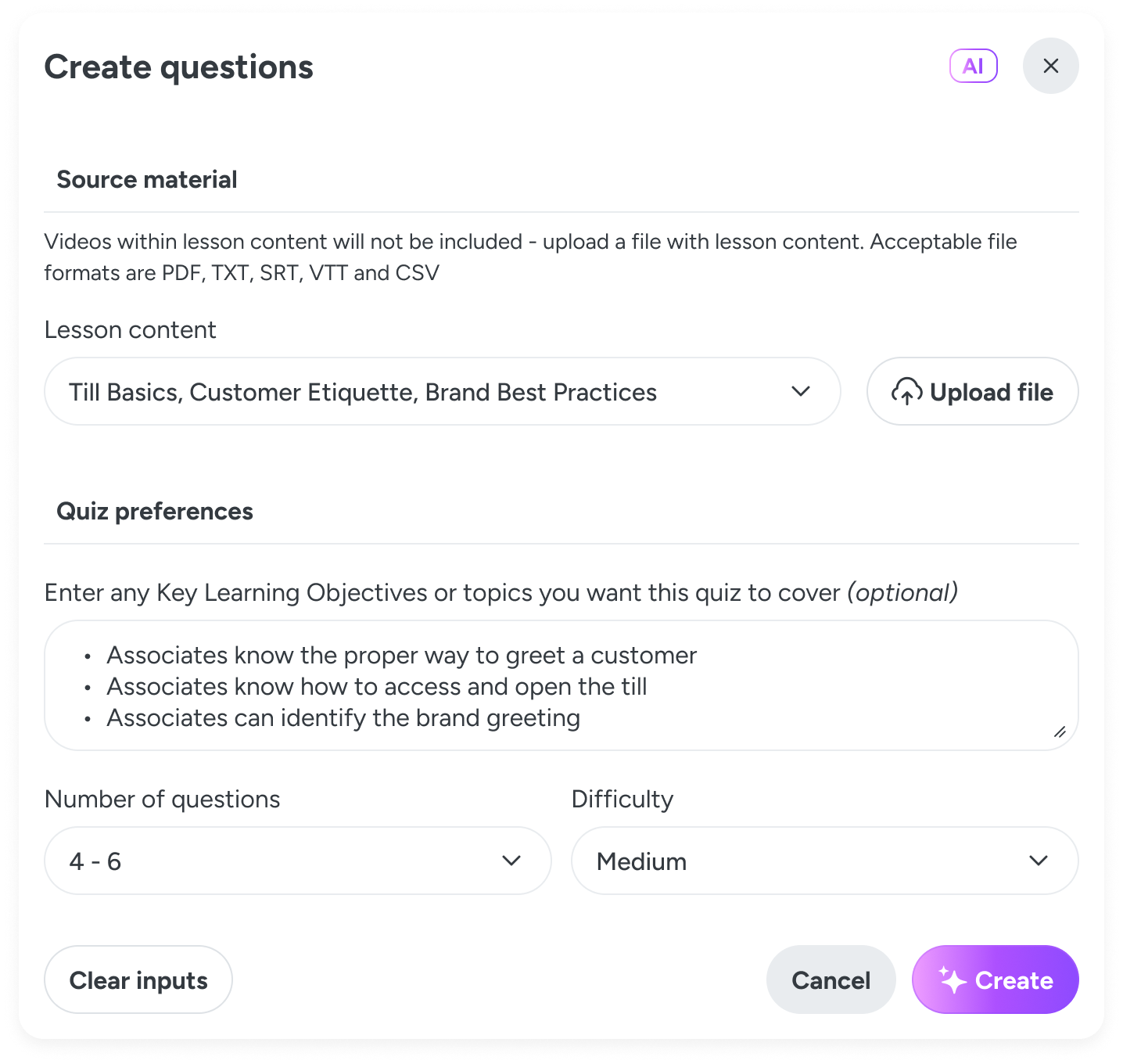
We all know AI can get it really, really wrong sometimes. So I built in an affordance for an output flop by making publisher flexibility the core component of the tool. Publishers can simply try again with the modal pre-populated with the previous inputs and ready to be tweaked.
Outcome
building ai trust with customers
79%
of organizations have used the feature more than 3 times.
30 uses
per team on average.
1/3
of quizzes created since the tool launched have used the AI question generator tool.
“I used that beautiful AI tool to create some quiz questions. And it did a wonderful job with that. So, loving this AI quiz tool.”